Windows tool
ohscrcpy
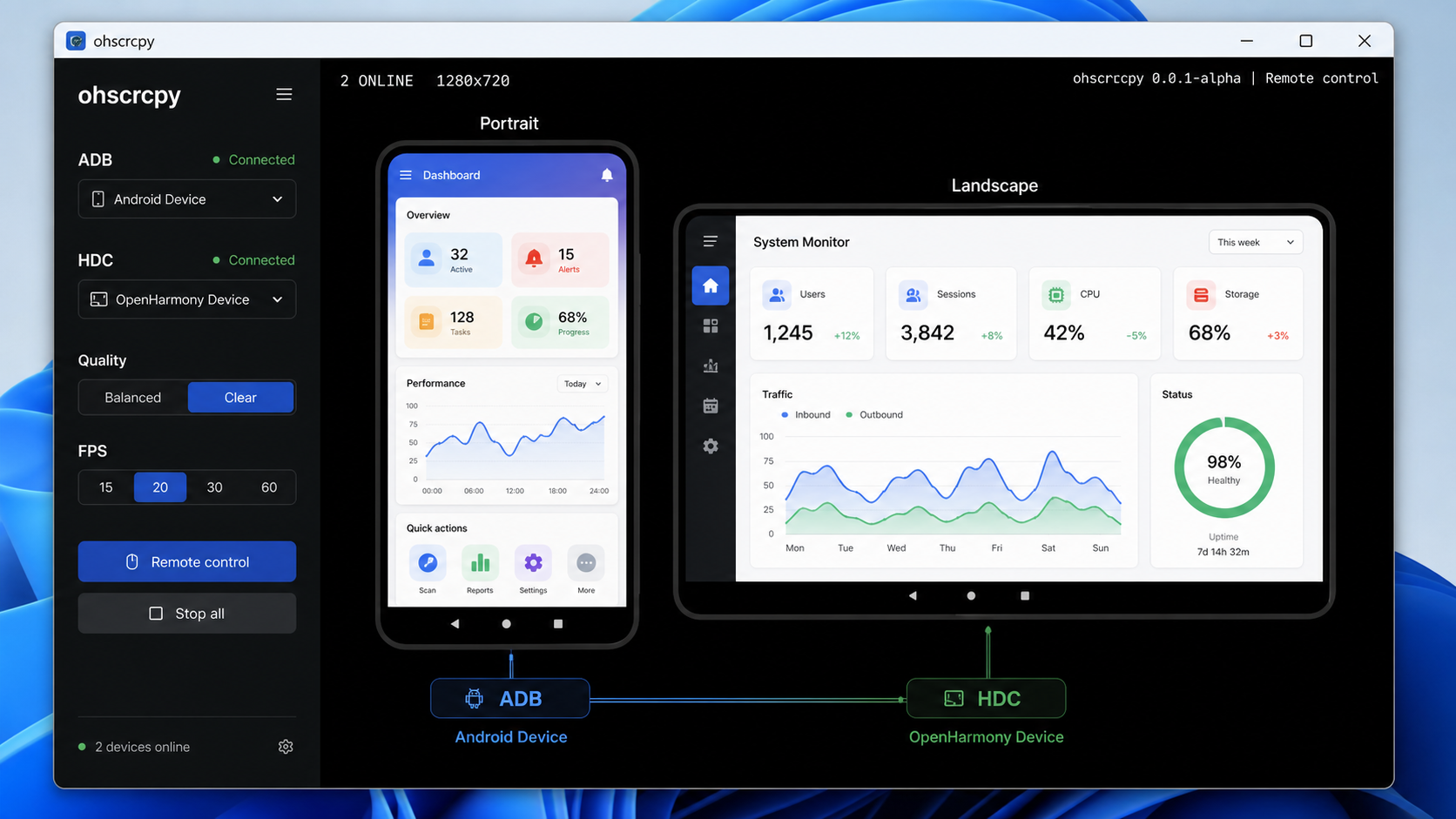
ohscrcpy is a Windows screen mirroring, remote control, and debugging workspace for OpenHarmony and Android devices.
Product Positioning
ohscrcpy is a Windows screen mirroring, remote control, and debugging workspace for OpenHarmony and Android devices. Its Electron interface brings device discovery, remote screens, common device actions, runtime logs, and updates into one place for real-device debugging, multi-device comparison, and local-network operation.
It is not a full mobile device management system. It is a focused, lightweight tool for development and testing workflows.
Current Capabilities
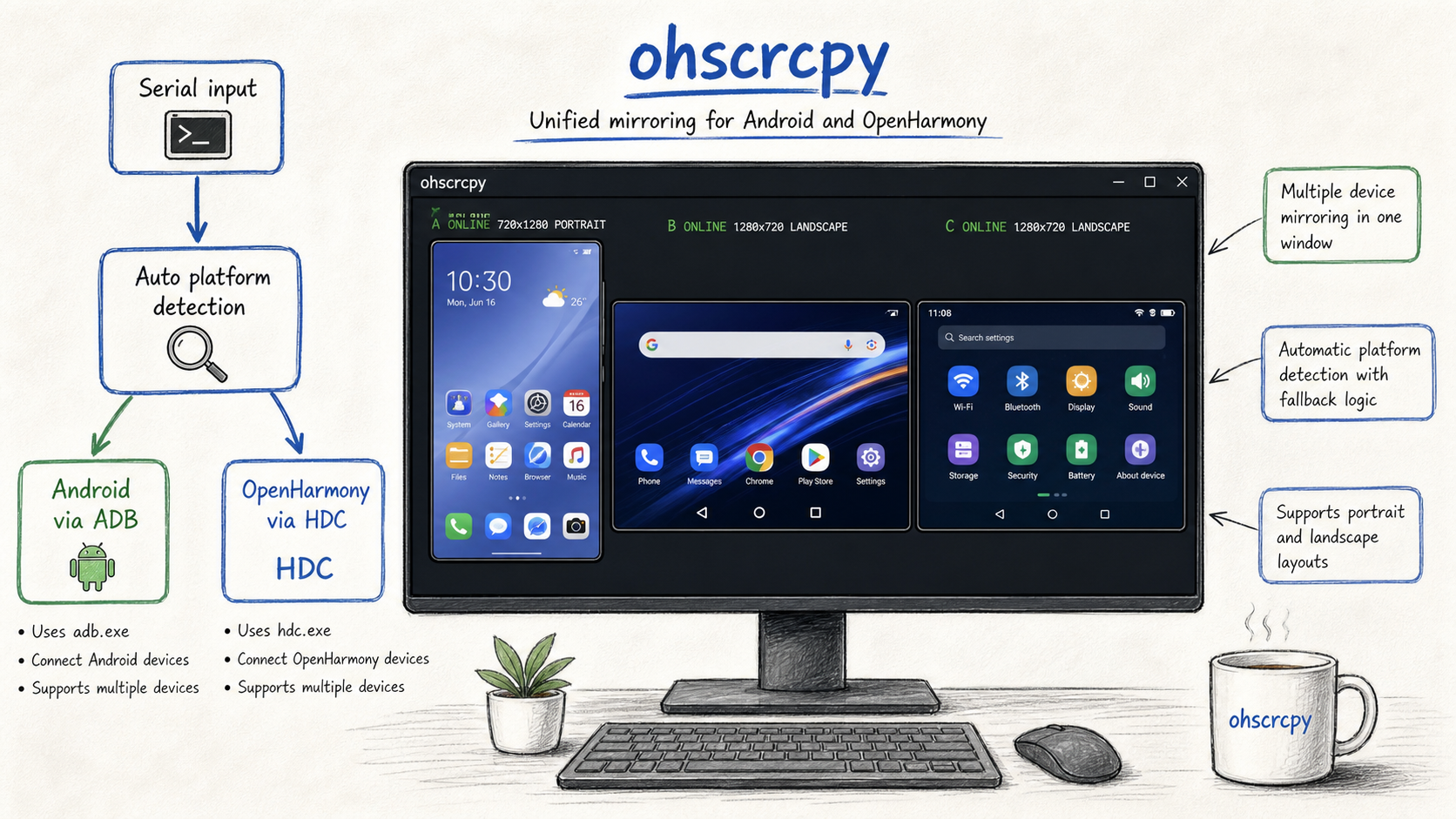
- Manage Android (ADB) and OpenHarmony (HDC) devices in the same device list.
- Mirror and control multiple devices with quality selection, local rotation, fill view, mouse control, and physical keyboard input.
- Organize devices with names, groups, favorites, and search, while preventing duplicate saved network devices.
- Install HAP/APK packages, manage applications, open SSH terminals, transfer files with SFTP, and reboot devices.
- Inspect Runtime logs and OHOS WebDebug status, and export a diagnostic ZIP after startup failures.
- Save PNG screenshots and record WebM video from the remote toolbar.
- Check for updates in the app, verify SHA-256, and perform backup, replacement, and rollback.
Download, Launch, and Update
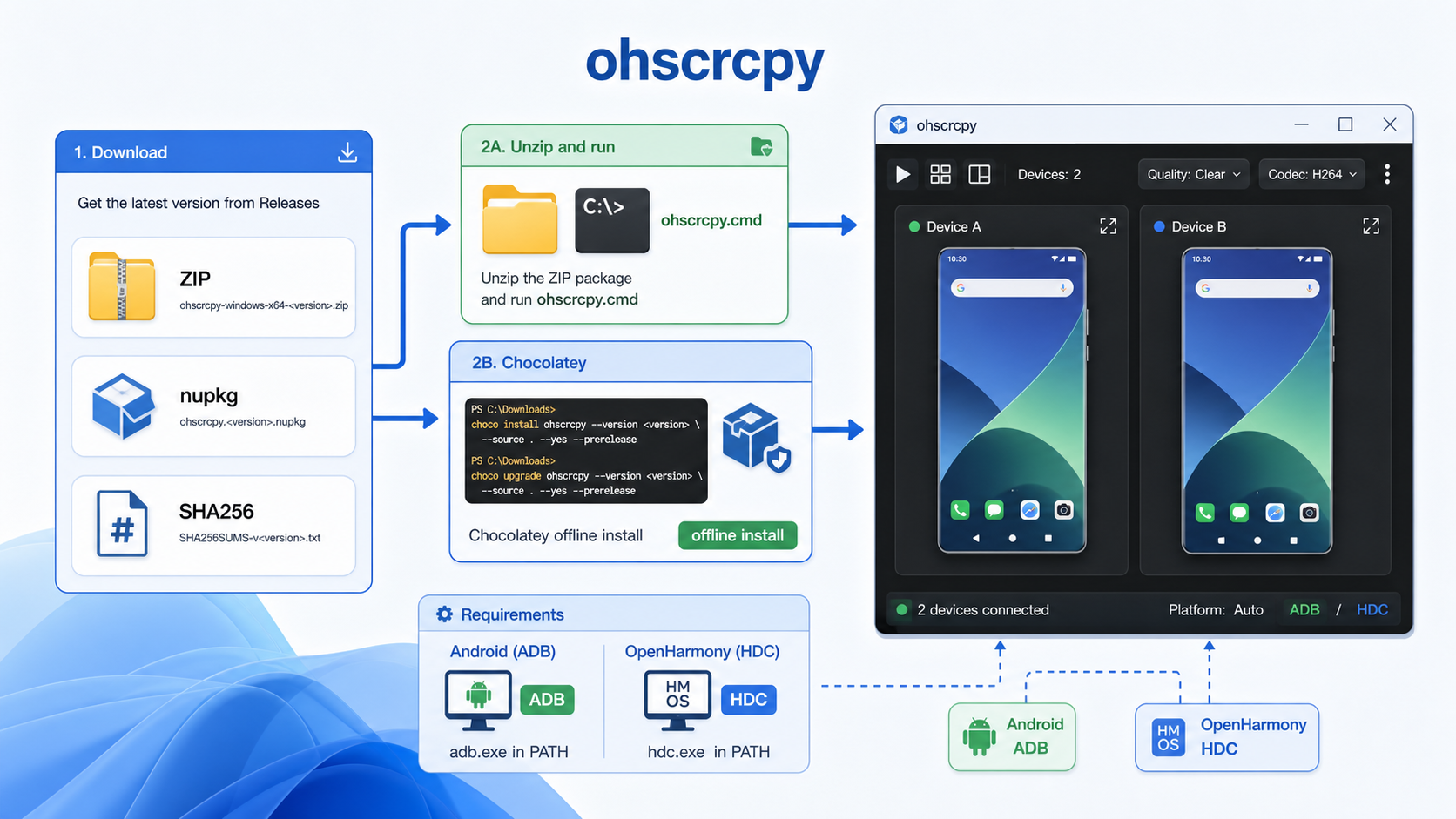
Public releases provide:
ohscrcpy-windows-x64-<version>.zip: the Windows x64 package.SHA256SUMS-v<version>.txt: SHA-256 values for package verification.
After extracting the ZIP, run ohscrcpy-start.exe for the recommended control interface. ohscrcpy.exe keeps a console for device preparation, port-forwarding, and error logs. ohscrcpyw.exe is the compatible no-console entry point.
The built-in updater uses GitCode by default and tries GitHub when that source is unavailable. It downloads the Windows ZIP, verifies SHA-256, backs up the current version, replaces the files, and rolls back after failure.
Device Detection and CLI
The default -Platform Auto mode checks both ADB and HDC:
- Use Android when the target is online only in ADB.
- Use OpenHarmony when the target is online only in HDC.
- Prefer Android when the same serial is available through both.
- Use OpenHarmony when ADB is
offlineorunauthorizedand HDC is online.
The platform can also be selected explicitly:
.\ohscrcpy.exe -Platform OHOS -s <ohos-device-serial> -q Clear
.\ohscrcpy.exe -Platform Android -s <android-device-serial>:5555 -q Clear
.\ohscrcpy.exe -m "<device-a>,<device-b>" -q Clear
OpenHarmony also supports -CaptureMode Auto, Video, or Screenshot. -DisplayRotation changes the local Windows presentation and input coordinate mapping without changing device-side capture orientation.
Screenshots and Recording
Version 0.1.25 adds PNG screenshots and WebM recording to the remote toolbar. Saved media uses the rotated device frame at its original aspect ratio and excludes application toolbars and empty UI space. Recording runs independently for each device session and writes chunks to a temporary file.
Recording currently contains video only, without device audio.
Requirements and Boundaries
- Windows 10/11 x64 is the primary supported environment.
- OpenHarmony requires API 12 or newer and a working HDC tool; device servers are included for armv7 32-bit and aarch64 64-bit targets.
- Android requires a working ADB tool; the package uses a fixed, verified scrcpy-server 3.3.3.
- H.264 and H.265 video decoding are supported.
- SSH, SFTP, and remote reboot require SSH to be enabled on the device with valid connection details.
- Devices must expose the relevant debugging capability and be discoverable through ADB or HDC.