
Introduction
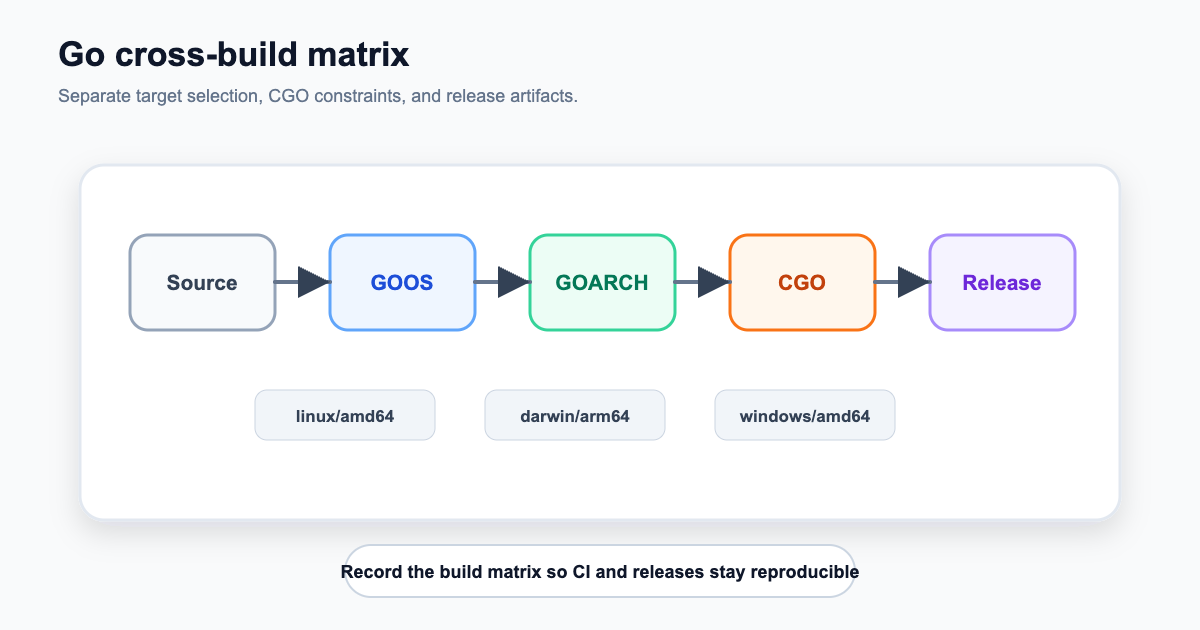
Golang supports cross-compilation, which can generate an executable program for another platform on one platform. I have used it recently and it is very easy to use. Here is a note. https://blog.csdn.net/hbzhou2009/article/details/77677160
CGO_ENABLED Whether to enable CGO
CGO_ENABLED=1Compile Linux and Windows 64-bit executable programs under Mac
If cgo is enabled, gcc needs to be installed. If it is cross-platform compilation, the gcc component of the required platform needs to be specified through the CC parameter. As shown in the following command:
CGO_ENABLED=0 GOOS=linux GOARCH=amd64 go build main.go- mac to windows
CGO_ENABLED=1 GOOS=windows GOARCH=amd64 CC=/usr/local/bin/x86_64-w64-mingw32-gcc CXX=/usr/local/bin/x86_64-w64-mingw32-g+ go build -a -installsuffix cgo -ldflags "-w -s -X main.Version=v1.0" -o ./cmd/main.exe- mac to linux
CGO_ENABLED=1 GOOS=linux GOARCH=amd64 CC=/usr/local/gcc-4.8.1-for-linux64/bin/x86_64-pc-linux-gcc go build -a -installsuffix cgo -ldflags "-w -s -X main.Version=v1.0" -o ./cmd/main_linCompile Mac and Windows 64-bit executable programs under Linux
CGO_ENABLED=0 GOOS=darwin GOARCH=amd64 go build main.go
CGO_ENABLED=0 GOOS=windows GOARCH=amd64 go build main.go
Compile Mac and Linux 64-bit executable programs under Windows
SET CGO_ENABLED=0
SET GOOS=darwin
SET GOARCH=amd64
go build main.go

SET CGO_ENABLED=0
SET GOOS=linux
SET GOARCH=amd64
go build main.go
GOOS: The operating system of the target platform (darwin, freebsd, linux, windows) GOARCH: The architecture of the target platform (386, amd64, arm)